Is It Time to Update Your Old Business System?
Why replacing an ageing system costs less than you might think
Solve With Software
TL;DR
Updating an old business system can be more cost-effective than expected. Legacy systems may pose security risks and inefficiencies. Modernizing leverages existing data, saving development time.
Key Takeaways
- •Identify signs of an outdated system.
- •Understand the risks of legacy systems.
- •Learn the benefits of modernizing.
- •Discover cost-effective modernization strategies.
- •Explore options for data migration.
Walk into almost any established business, and you'll find one: the old system. The one built five, ten, maybe even twenty years ago. The one the office staff have learned to work around. The one nobody dares touch because it holds years of valuable data.
If that sounds familiar, this article is for you.
The system that never quite lived up to the promise
Here's a story we hear time and time again. A business needed software, so they commissioned a developer or a software house to build it. But development costs mounted, and somewhere along the way compromises were made. Features got cut. Functionality got simplified. The reporting they really wanted became a "phase two" that never happened.
The result? The business got a system, but not the system they imagined.
Or perhaps it started life as a homegrown solution. A Microsoft Access database someone in the office put together. A SharePoint setup that grew and grew. It did the job at first, but the workflows, connectivity, and reporting never kept pace with what the business actually needed.
Or maybe it was an off-the-shelf product. Perfectly fine at the time, but the vendor hasn't kept it up to date, charges a fortune for changes, and can't do custom builds because they've got hundreds of other customers to serve.
Whichever route you took, you've ended up in the same place: a system that works, sort of, but doesn't serve you the way it should.
Why nothing ever changed
The reason these systems survive so long is simple: the original build cost a lot of money, so the assumption has always been that replacing it means more cost and risk. Every time someone raises it in a meeting, the conversation ends the same way. "We'd love to, but the budget just isn't there."
So the staff persevere. They export data to spreadsheets to get the reports they need. They double-enter information between systems that don't talk to each other. They apologise to customers for things the software can't do.
Meanwhile, the risks quietly grow. Older technologies, especially ones no longer maintained by anyone, can carry security vulnerabilities that modern platforms simply don't have. What was once merely inconvenient becomes a genuine liability.
Here's the good news: you're not starting from scratch
This is the part most businesses don't realise. Replacing an existing system is fundamentally different from building one for the first time, and considerably cheaper.
Why? Because the hardest, most expensive part of any software project is working out what the system needs to do. You've already done that. Your current system, for all its faults, is a living specification. It shows exactly how your business operates, where the pain points are, and what's missing.
You also know precisely what you'd change. Most businesses in this position have a mental (or literal) roadmap of features they've wished for over the years. That clarity is worth a fortune in saved development time.
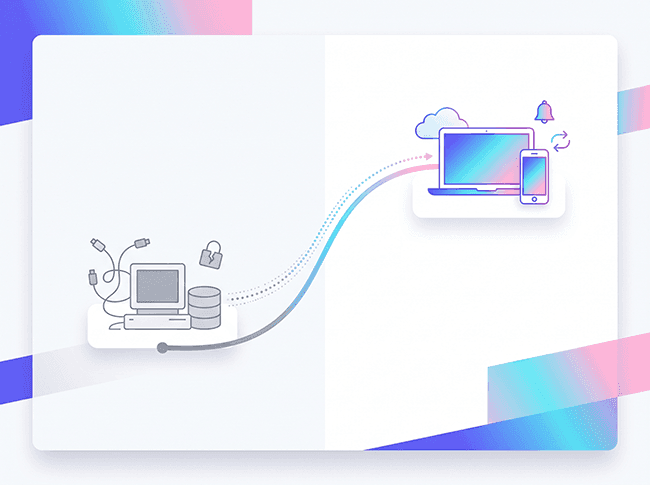
And your data? It comes with you. Years of customer records, job history, and business intelligence get migrated into the new system — not abandoned.
What modernising actually looks like
Every project is different, but the process is refreshingly straightforward:
- We look at what you've got. Whether it's Access, SharePoint, a bespoke build from another developer, or an ageing off-the-shelf product — we review how it works and how you use it.
- We ask what needs improving. What frustrates the team daily? What reports do you wish existed? What do you find yourselves doing manually that the system should handle?
- We plan for the future, not just today. Security, integrations, and room to grow. The goal isn't to recreate what you had — it's to build something ready for 2030, not stuck in 2010.
- We migrate your data and switch you over. No big-bang risk, no lost history.
It doesn't matter how the original was built, and it doesn't matter where you want the new one to live. Prefer a desktop application? We can build modern desktop and client-server apps. Want to move to the web? Absolutely. Fancy adding a mobile app alongside your web system — with push notifications, remote access, and even offline capability for staff out in the field? That's exactly the kind of enhancement that transforms how a business operates day to day.
Small systems welcome
One more thing worth saying: your system doesn't have to be big to be worth modernising. In fact, smaller systems are often the quickest wins — faster to rebuild, cheaper to deliver, and just as transformative for the people using them every day.
Is it time?
If you recognise your business anywhere in this article, the question isn't really whether your system needs modernising — it's whether you knew it could be done affordably. Now you do.
You paid for the hard part years ago. Let's build the system you actually wanted.
Give us a call on 01206-848428 or drop us a line at hello@solvewithsoftware.com for a friendly, no-obligation chat about what you've got and where you'd like to take it.
Frequently Asked Questions
How can modernising my system save money?
Modernising can be cheaper as it uses existing specifications and data, reducing development costs.
What is involved in updating a business system?
Updating involves reviewing current systems, identifying improvements, and migrating data.
Can old data be migrated to a new system?
Yes, existing data can be migrated, preserving valuable business intelligence.
How do I know if my business system is outdated?
If your system is causing inefficiencies or security concerns, it may be outdated.
What are the risks of using legacy software?
Legacy software can have security vulnerabilities and may not support modern business needs.
About Solve With Software
Expert insights on software development, AI, and digital transformation from the Solve With Software team.