What you get out of the box
Explore the essential features included in our project framework.
Solve With Software

TL;DR
Our project framework includes essential features like authentication, AI integration, and data migration. It ensures efficient project starts and future-proofing.
Key Takeaways
- •Authentication systems are included from day one.
- •Data migration is seamless and keeps you flexible.
- •AI can be integrated across the application as needed.
- •Role-based access control ensures security and efficiency.
- •Feature flags allow for easy management and testing.
What you get out of the box
When you start a project with us, you don't start from zero. We've built a framework that covers the things almost every application needs, and it's straightforward for us to include these and adapt them to how you work. You're not paying us to rebuild login screens. Your budget goes on the parts that make your business different.
Here's what's included from day one.
Logging in, and who gets to see what
Authentication comes first. Username and password, magic links, third-party login providers, whatever suits your users. These are well proven systems.
On top of that sits role-based access. This maps the roles in your organisation to what each role can reach. It can be one rule if that's all you need, or it can be fine-grained control over individual features and server-side resources. Most systems start simple and grow, and the framework handles both.
Route groups partition the application into sections. A public area that anonymous visitors can browse. An onboarding area for new members. The main application for people who are signed in, an admin area, and the API. If you're logged in, you see the application. If you're new, you go through onboarding. If you're a member of the public reading the website, you stay in the public area. Combined with role-based access, this keeps the whole system cleanly divided.
Alongside access control, we keep an audit trail. When it matters who did what and when, the record is there. For regulated organisations, this is often a requirement.
Bringing your data with you
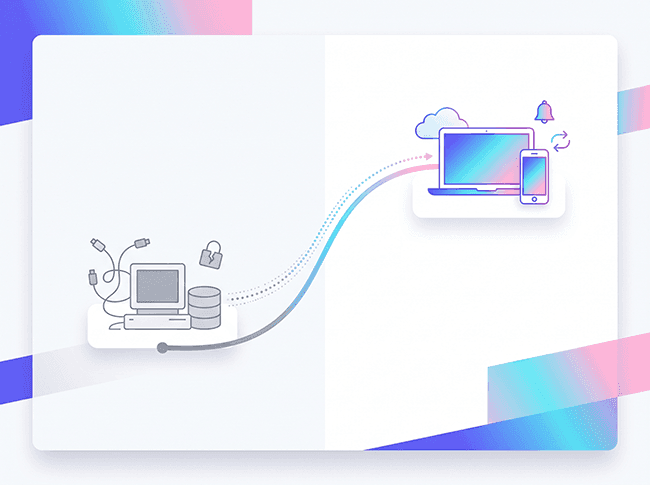
Most of our clients aren't starting a business; they're replacing a system. That means years of existing data, and it comes with you. We migrate it into the new application as part of the build.
It works the other way too. Your data stays exportable, so you're never locked in.
Data protection and backups
We build for UK GDPR from the start. Personal data sits behind the same access controls as everything else; you know where it's held, and if someone asks for their data or asks you to delete it, the system can do it.
Backups run as a matter of course, so if data is lost or damaged, it can be recovered.
Files and media
Businesses store files. PDFs, Word documents, spreadsheets. These are stored server-side using the same security and access control mechanisms as the rest of the application, so they're just as secure as your data and features are. Where you're uploading video or heavy media, we use technologies optimised for that, so it stays fast.
AI across the application
We can add AI anywhere in the application to help users get things done. Administrative jobs, communication tasks, workflows. An agent can start a process, get involved during it, look up information and present it, or execute tasks. AI can be integrated across the application as you need it to be.
We already run AI in production systems for clients.
Rich content
We include editors designed to help users create rich content, and AI joins in here too. You write your content, then use AI to check it and to complete other fields based on what you've already provided, which speeds up the content workflow.
Reporting and search
Management wants to see what's going on. We build in dashboards and reports, and reports can run on a schedule, so the numbers arrive without anyone having to ask.
Search comes as standard too. Once a system holds any real amount of data, people need to find things quickly.
Notifications
Notifications can go out as web notifications, in-app notifications, email, or SMS. For email we typically use Resend, for SMS we use Twilio. They can be broadcast, sent to groups, or sent to individual users.
Billing
Typically we use Stripe, which gives you everything Stripe can offer: product subscriptions, VAT or no VAT, and all the different configurations. We can also integrate with any other financial system. One project uses the Lloyds banking API directly.
Mobile
We build mobile apps as well as web applications, and the same framework thinking applies. A mobile app can sit alongside your web application, sharing the same data, the same access control, and the same features.
Feature flags
We normally include feature flags. A flag lets us turn a feature on or off quickly. When we deploy something new, we control who has access to it. When a feature is reaching the end of its life, we can phase it out and bring its replacement in.
You can also use flags to test what works in your organisation, by enabling different versions for different members and phasing between them. Managing an application at the feature level makes it much easier to change later, which is what future-proofing comes down to.
Rate limiting, observability, and scheduled jobs
Rate limiting stops people from hammering the system. Sometimes that's an attack or a bot. Sometimes it's a user trying to do something more than they should. Limits sit on both client and server sides.
For observability, we use technologies that show us how the application is functioning so we can monitor it. If anything happens at a business, application, or system level, it's picked up straight away and can be addressed.
Scheduled jobs handle work that needs to run automatically. Expiry sweeps, nudges, secret rotations, queue and worker pairs. Normally these run as cron jobs.
Testing
Everything we ship is tested. Automated tests run against the application so that when we change one thing, we know we haven't broken another.
Accessibility
We build to accessibility standards so the application works for everyone, including people using screen readers or keyboard navigation. If you're in the public sector or working with the NHS, procurement will ask about this.
You own the code
We build on open technologies and you hold the source. There's nothing proprietary locking you to us, and any competent developer can pick the system up.
That's the starting point every project builds on.
Frequently Asked Questions
What features are included in the project framework?
The framework includes authentication, AI integration, data migration, and more.
How does the framework handle authentication?
It supports username/password, magic links, and third-party logins with role-based access.
Can AI be integrated into the application?
Yes, AI can be integrated for tasks like communication and workflow automation.
What is role-based access control?
It maps organizational roles to access permissions, ensuring secure data handling.
How does data migration work in the framework?
Existing data is migrated into the new system, ensuring continuity and flexibility.
About Solve With Software
Expert insights on software development, AI, and digital transformation from the Solve With Software team.